Detail at favicon size
At 24 pixels, check whether the gaps between the dots remain distinct. Try the solid symbol if several dots merge.
Open the 24 px sampleDOC N.I.L. / LOGO TESTING LAB
Find the right logo for the space it has. Compare two marks under the conditions where they’ll be used.
Try a favicon first. Can you still see the gaps between the dots at 24 pixels?
Start with the dotted and solid marks at 96 CSS pixels on Soft Ivory. Use the same visible width if their file margins differ.
Dotted and solid symbols at 96 pixels on Soft Ivory.
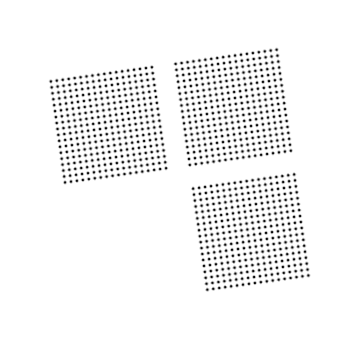



At 24 pixels, check whether the gaps between the dots remain distinct. Try the solid symbol if several dots merge.
Open the 24 px sampleCompare light and dark backgrounds. Look at the edges and gaps before choosing a reversed colorway or a neutral backing.
Open the Matte Black sampleTest the full signature at the width available. If the name is difficult to read, consider a compact symbol with the name nearby.
Open the light and dark signature sampleOpen the X-Ray lab for a closer look at geometry and clear space
The file stays in this browser. You can clear it at any time. Share links carry test settings only.
PNG or WebP up to 8 MB, or simple SVG up to 512 KB. The maximum is 4,096 pixels per side and 12 megapixels.
Keep a comparison with the conditions and your preferred mark for this placement. The printable sheet contains reference artwork and test notes. Each PNG contains one artwork reference at the chosen raster scale.
No rounds saved yet.
Only aggregate counts are shown here.
Compare the dotted symbol, solid small-size symbol, and outlined web signature. Each is an existing DOC N.I.L. web reference. Confirm production files and minimum sizes with the brand guide.
· The site’s brand kit introduced the reference set below. The Lab uses those existing files.
More than one size
Use the lab for scale and surface decisions. Use the brand guide for approved applications and the ϕ X-Ray lab to inspect geometry and clear space.